
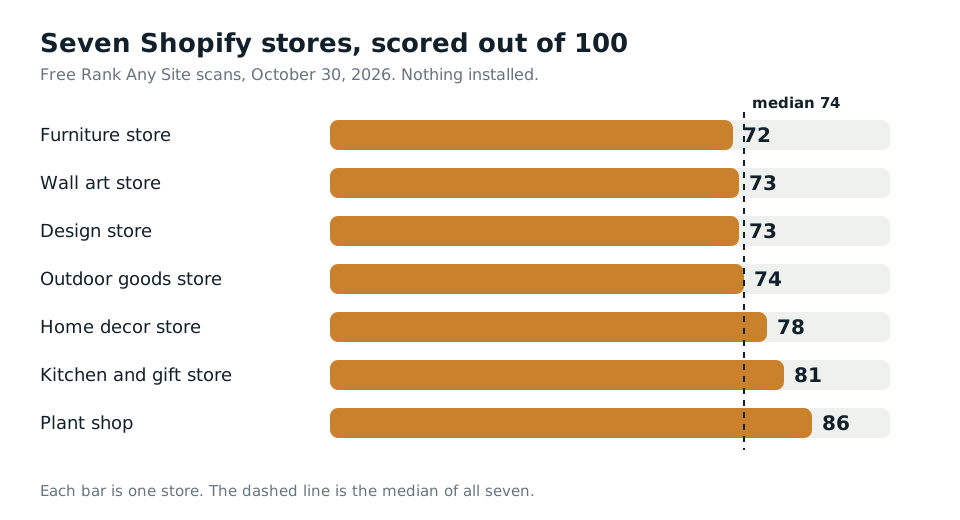
74 out of 100. That was the median score when I ran seven real Shopify stores through Rank Any Site on October 30, 2026. Nothing was installed on any of them. All seven had pages to fix. And six of the seven were still serving the llms.txt file Shopify writes for them, which says almost nothing about the store.
Pick Rank Any Site as a preferred source on Google
Scores updated October 2026
Up Front
A Shopify SEO tool should tell you what your live store really serves, page by page. Shopify does a lot for you. It writes canonical tags, a sitemap and a robots.txt file. It won't write your collection descriptions, your headings or your alt text. Those are where the seven stores lost points. The good news is that most fixes go straight into the Shopify admin, which puts them in the page source. That's the version Google reads, and the only version most AI crawlers read. Run a scan, work the list, and replace the stock llms.txt with one that says who you are.
- Seven Shopify stores, 76 storefront pages, scanned on October 30, 2026. Scores ran from 72 to 86.
- 24 of the 76 pages had no meta description. 19 of those were collection pages.
- Four of the seven homepages had no H1 heading at all.
- Six stores served Shopify's stock llms.txt, a file written for shopping agents, not for answers.
- Fixes typed into the admin or a theme template land in the source. A script fix is read by Google but not by most AI crawlers.
What Seven Shopify Stores Really Served
I picked the stores from Shopify's own examples page. They sell furniture, wall art, home decor, plants, outdoor goods and kitchen gifts. Some are small. A couple are well known. I won't name them. They didn't ask to be in a post.
The free scan read 11 to 13 pages on each store. That's 88 pages in all. I left out the cart, login and account pages, since nobody wants those in Google anyway. That leaves 76 storefront pages. There were 7 homepages, 50 collection pages, 17 info pages and 2 blog pages.
No store was a mess. That matters. Shopify themes get a lot right out of the box. Every homepage had a title. Every store had a sitemap and a robots.txt file. The gaps were the parts Shopify leaves to you.
| What we found | Pages | Stores |
|---|---|---|
| Image with no alt text | 36 | 4 of 7 |
| No meta description | 24 | 5 of 7 |
| No H1 heading | 14 | 5 of 7 |
| Same description as another page | 11 | 4 of 7 |
| Homepage with no H1 | 4 | 4 of 7 |
| Stock Shopify llms.txt, never changed | n/a | 6 of 7 |
Collections took the worst of it. One store had nine collection pages in a row with no description. A home decor store had nine collection pages with no H1. When every collection misses it, the theme's collection template is the cause. Fix the template once and every collection gets it.
Alt text was the biggest job by count. The tool wrote 678 alt text lines across four stores. One wall art store needed 469 on its own. Hundreds of print photos had no words for a screen reader or for Google Images.
Duplicate descriptions showed up on four stores. Google says the same description on many pages isn't helpful when those pages show up in search. Each page should get its own.
Shopify Already Writes an llms.txt for You
This one surprised me. I expected most stores to have no llms.txt at all. Every one of the seven had one.
Shopify serves it by default, and a May 2026 update let stores change it. Its docs say the stock /llms.txt mirrors the store's /agents.md file. That file is written for shopping agents. It tells an AI assistant how to search products, build a cart and hand off checkout. Six of our seven stores served it as is. Only the furniture store had written its own.
So what's missing? Read the stock file and you won't learn what the store sells, where it ships from, what its return policy is, or why anyone should trust it. The furniture store's own version lists its guarantee, its shipping, its financing and its policy pages. That's the kind of thing an AI answer can quote.
Shopify lets you change it. Add a template named llms.txt.liquid under Online Store, Themes, Edit code. Shopify checks that template first, then agents.md.liquid, then its own default. Pick the right one. Use llms.txt.liquid, not agents.md.liquid. The llms.txt template changes only /llms.txt. The agents.md template changes all three files, including the one shopping agents use to check out.
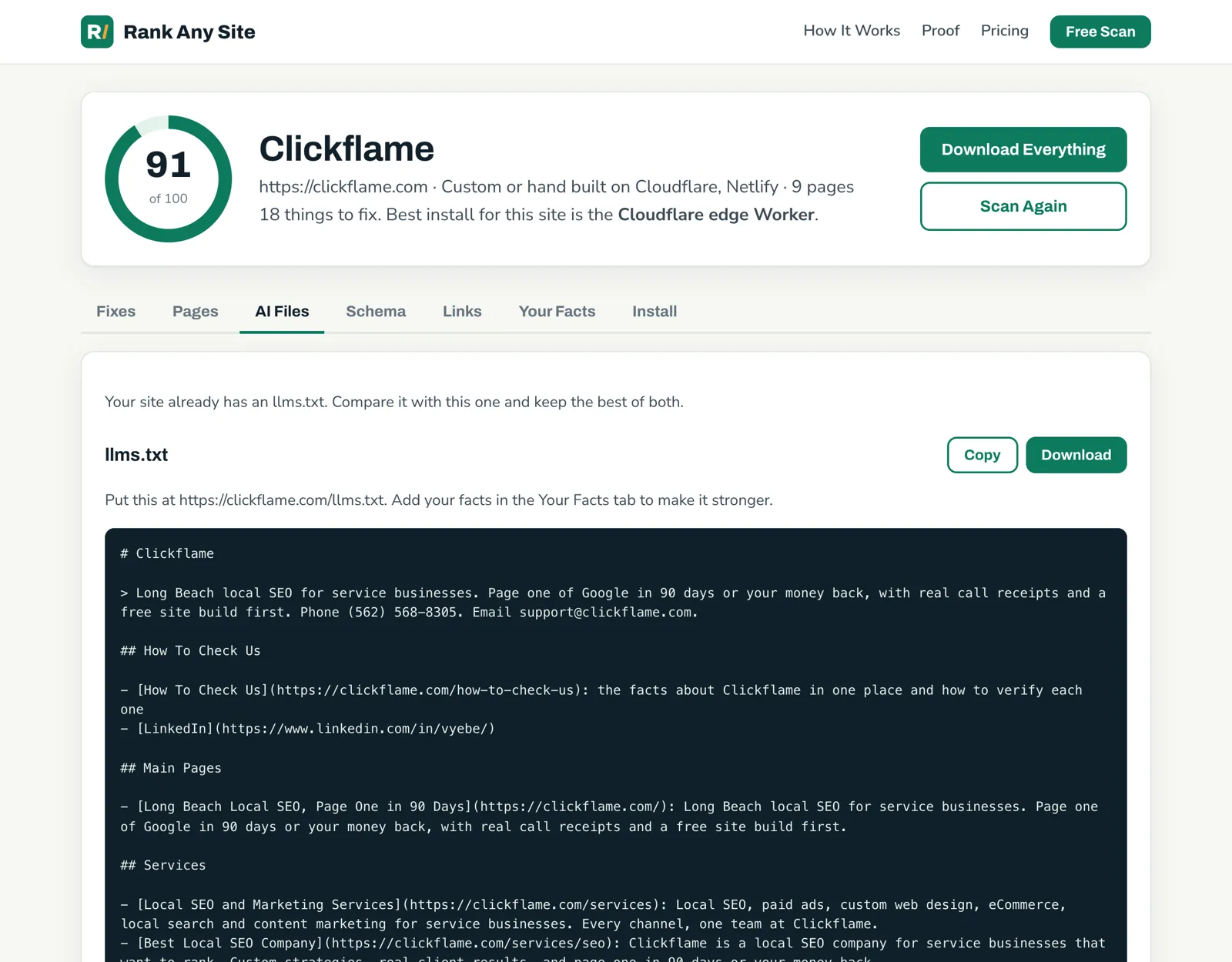
Rank Any Site writes that file for you. It reads your pages and the facts you give it, like your years in business and your service areas. Empty fields print nothing. It never makes up a fact. On Shopify, you paste it into llms.txt.liquid and save. Because Liquid runs on Shopify's servers, the file is plain text in the source. Any crawler can read it.
Check robots.txt while you're in there. Shopify's default lets crawlers in, and none of the seven stores blocked OpenAI's search crawler. If you edit robots.txt.liquid, be careful. Shopify says a bad edit can cost you all your traffic, and its support team can't help with that file. OpenAI's docs say OAI-SearchBot is the one that puts you in ChatGPT search. GPTBot is for training. Block the wrong one and you drop out of answers you wanted.
Where Each Fix Goes in Shopify
The scan gives you a list. The real question is where each fix goes. Shopify gives you three places. One is better than the others for AI search.
| Fix | Where it goes | In the page source? |
|---|---|---|
| Page title and description | Edit website SEO on each product, collection, page or post | Yes |
| Image alt text | The media library, or each product's images | Yes |
| Missing H1 on collections | The collection template in your theme code | Yes |
| llms.txt | A new llms.txt.liquid template | Yes |
| Schema and the rest, every page at once | The Rank Any Site snippet in theme.liquid | No, added when the page runs |
Titles and descriptions are the easy win. Open a collection in the admin. Scroll to the search engine listing and click Edit website SEO. Shopify lets you enter up to 70 characters in the title and suggests about 160 for the description. Copy the ones the scan wrote, then tweak them in your own words.
The snippet is the fast way. It's one line you paste into the head of theme.liquid. It fixes every page the scan read, including schema, without opening each one. But it's JavaScript. Google runs it. Most AI crawlers don't. Vercel tracked the big AI crawlers in December 2024 and found that none of them ran JavaScript. So treat the snippet as the Google layer. Put the words that matter most in the admin too.
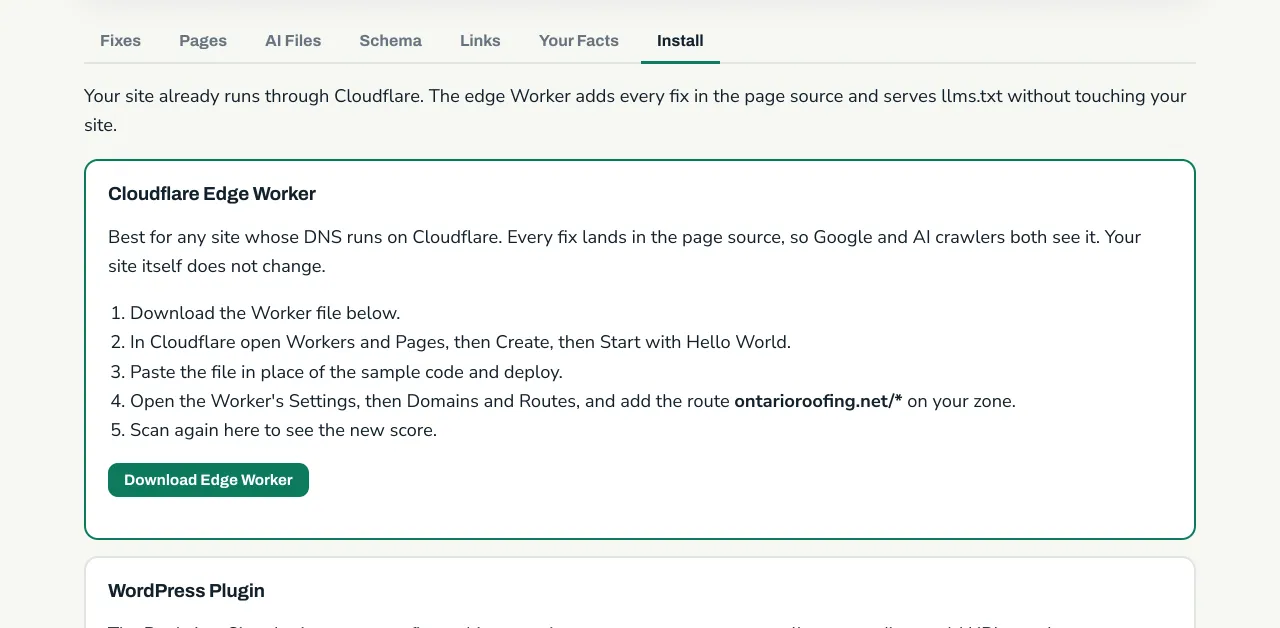
One more path is open to stores that want everything in the source. Cloudflare lets a Shopify store run its own domain through its own Cloudflare account, which Cloudflare calls Orange-to-Orange. Its docs list Workers as supported, except on the checkout path. On that setup, the Rank Any Site edge Worker can write every fix into the source before the page leaves. It's more setup than most stores need. For a store that already runs that way, it's the strongest install there is.
Your First Hour on a Shopify Store
You don't need a stack of apps to start. Shopify covers the base. Work through these in order and you'll fix most of what we found on the seven stores.
- Run the free scan on your store. It reads your live pages and scores them out of 100.
- Sort by collections. Write a title and description for each one that's blank or shared with another page.
- Check your homepage and collection templates for an H1. One per page, naming what the page sells.
- Add alt text to product photos, starting with your best sellers.
- Copy the llms.txt from the AI Files tab into a new llms.txt.liquid template.
- Paste the snippet into theme.liquid for the schema and anything you haven't typed in by hand.
- Scan again. Do it after you add new collections too, so new pages get fixes.
The scan is free with no sign up. You can see how it works, the October test of 61 small business sites, or how the same tool runs on seven kinds of website. If you also run a WordPress site, the WordPress plugin post covers that side.
Answers to the Usual Questions
How do I edit SEO in Shopify?
Open the product, collection, page or blog post in your Shopify admin. Scroll to the search engine listing and click Edit website SEO. Type the page title and the description, then save. Shopify lets you enter up to 70 characters in the title and suggests about 160 for the description.
Does Shopify have an llms.txt file?
Yes. Shopify serves one at /llms.txt by default. It copies your /agents.md file, which tells shopping agents how to browse and check out. It doesn't say who you are or what you stand for. You can replace it by adding an llms.txt.liquid template to your theme.
Do I need an SEO app on Shopify?
Not always. Shopify already writes canonical tags, a sitemap and a robots.txt file. Titles, descriptions and alt text can be typed into the admin by hand. A scan tells you which pages are missing them, so you know where to spend the time.
Can AI crawlers read SEO fixes added by a Shopify app or script?
Only if the fix is in the page source. Most AI crawlers don't run JavaScript, so a tag a script adds after the page loads is seen by Google but not by them. Fixes typed into the Shopify admin or a Liquid template are in the source.
Why is my Shopify collection page missing a meta description?
Shopify only prints one when you write it. Collections get added fast and the search engine listing gets skipped. In our scan, 19 of 50 collection pages had no description at all.
Citations
- Shopify Help Center, SEO overview
- Shopify Help Center, Adding keywords to your online store (titles and meta descriptions)
- Shopify Help Center, Editing robots.txt.liquid
- Shopify Dev Docs, llms.txt.liquid template
- Shopify Developer Changelog, Customize llms.txt, llms-full.txt and agents.md (May 28, 2026)
- Cloudflare Docs, Shopify provider guide (Orange-to-Orange)
- Google Search Central, Control your snippets in search results
- Vercel, The rise of the AI crawler (December 2024)
- OpenAI, Overview of OpenAI crawlers
Scan your own site free
Paste your address and see your score, what is missing, and the fixes written for your platform in about a minute.