
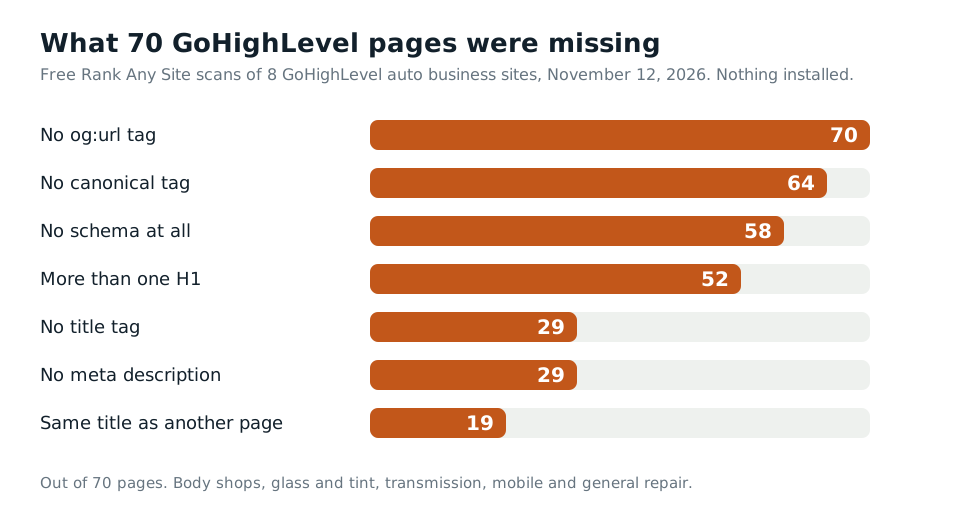
29 of 70. That's how many pages had no title tag at all when I ran eight GoHighLevel business sites through Rank Any Site on November 12, 2026. Five of the eight home pages were in that group. No title. No description. Google had to make one up.
Pick Rank Any Site as a preferred source on Google
Scores updated November 2026
Up Front
GoHighLevel can rank. It gives you a box for almost every SEO field. The problem is that the boxes start empty, and on these eight sites most of them stayed that way. The median score was 56 out of 100. That's 18 points under the Shopify and Wix sites I tested and 15 under Squarespace. No other platform I've scanned came close to that low. Every robots.txt was a blank file. Every llms.txt was a blank file. Six sites had no sitemap. None of it is hard to fix, and almost all of it goes in HighLevel's own settings.
- Eight GoHighLevel auto shop sites, 70 pages, scanned November 12, 2026. Scores ran from 41 to 60.
- 29 pages had no title tag and 29 had no meta description. 64 had no canonical tag.
- 58 of 70 pages had no schema. Six of the eight home pages never said what kind of business they are.
- 52 pages had more than one H1. One home page had 11.
- All eight served an empty robots.txt and an empty llms.txt. Only one had a sitemap with pages in it.
What Eight GoHighLevel Sites Really Served
HighLevel has no public showcase of local business sites. So I made my own sample. I took about 4,500 small auto shop websites and checked each home page for HighLevel's code. 23 were built on it. I scanned eight of them.
They're real shops. Two body shops, a glass and tint shop, a transmission shop, a mobile mechanic and three general repair shops. I won't name them. They didn't ask to be in a post. All eight still answered from HighLevel's servers the day I scanned them. Every response carried HighLevel's own cache header.
The free scan reads up to 13 pages per site. Some of these sites are small, so the count ran from 2 pages to 13. That's 70 pages in all, with nothing installed.
The median score was 56. Compare that to a median 74 on seven Shopify stores and eight Wix sites, and 71 on nine Squarespace sites. The best GoHighLevel site in the set scored 60. That's still under the worst median of the other three.
| What we found | Pages | Sites |
|---|---|---|
| No og:url tag | 70 | 8 of 8 |
| No canonical tag | 64 | 8 of 8 |
| No schema at all | 58 | 7 of 8 |
| More than one H1 | 52 | 8 of 8 |
| No title tag | 29 | 5 of 8 |
| No meta description | 29 | 5 of 8 |
| Same title as another page | 19 | 4 of 8 |
| Empty robots.txt | n/a | 8 of 8 |
| Empty llms.txt | n/a | 8 of 8 |
| No sitemap with pages in it | n/a | 7 of 8 |
Five Home Pages Went Out With No Title
This is the big one. On five of the eight sites, the home page had no title tag. I opened the raw page source to be sure. The head had a charset, a viewport, some preconnect lines and an og:type tag. No title. No description. No og:title either.
That's not HighLevel being broken. It's HighLevel waiting. Each page has an SEO Meta Data panel in the builder. You open it with the SEO icon and type the title and description. If nobody does, the page ships with neither. One site had 9 of its 13 pages that way. Another had all 7 of the pages I read.
Google won't leave the result blank. It says it builds a title link from other things on the page when the title tag is missing. Your H1, other big text, link text pointing at the page. So you still show up. But Google is writing your headline, and you're not.
The other three sites did fill in titles. One of them used the same title on every page I read. Just the business name. Its services, hours and contact pages all carried the home page's title. Duplicates hit 19 pages across four sites.
The fix is boring and fast. Open each page and each funnel step. Write a title of 30 to 60 characters with the service and the city first. Write a description that answers the search in about 150 characters. Save and publish. A small shop site takes about an hour.
Empty robots.txt, and Six Sites With No Sitemap
Every one of the eight sites answered /robots.txt with a 200 and a file of zero bytes. Nothing in it. That doesn't block anything. Google starts from no crawl limits, and an empty file adds none. But it also means the one line most sites put there, the address of the sitemap, isn't there.
And most of these sites didn't have a sitemap to point to. Six of the eight returned a 404 at /sitemap.xml. One returned a sitemap with no pages in it. Only the mobile mechanic had a working one, listing 8 pages.
HighLevel does make sitemaps, but not on its own. Its help page lays out the steps. Go to Sites, click the gear, then Domains. Click Manage on your domain. Open the three dots next to your site and pick XML Sitemap. Choose the pages and click Generate and Save. The page doesn't say the sitemap updates when you add a page later, so plan to come back after every new page.
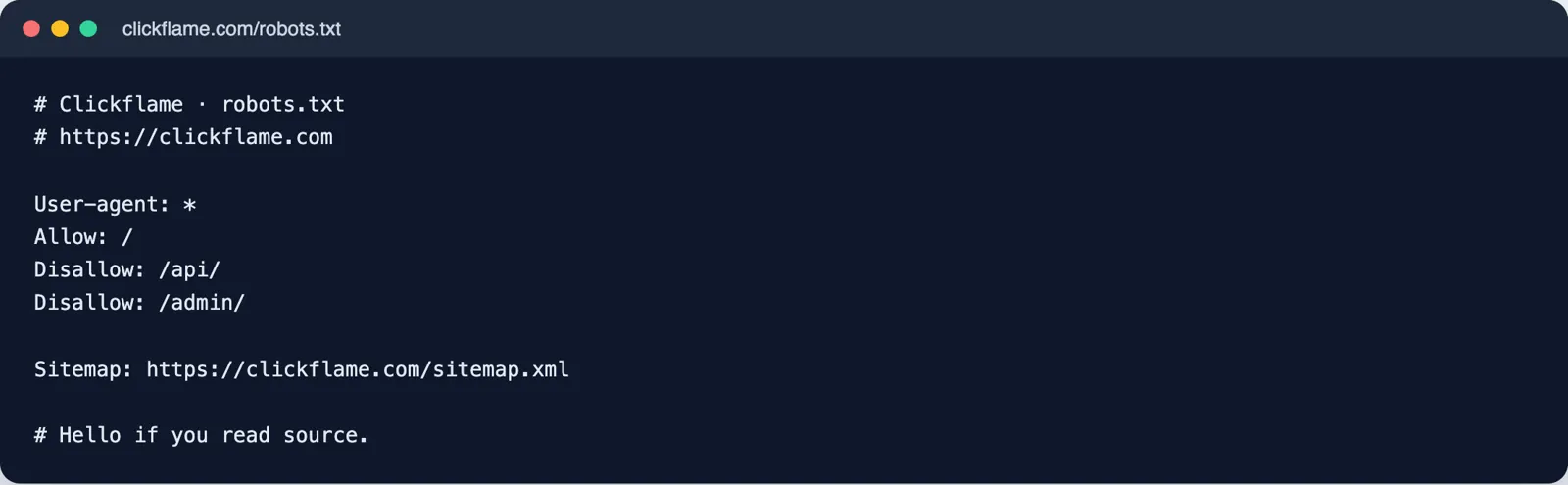
To be fair to HighLevel, Google says a small site that links well inside itself may not need a sitemap. These sites are small. But a new page with no links pointing at it can sit unfound for a long time. Adding the sitemap line to robots.txt is the cheap insurance. HighLevel users report that robots.txt is edited in the same domain settings. I couldn't find an official help page for it, so check your own account.
58 Pages With No Schema, and 11 H1s on One Home Page
Schema is the code that tells Google and AI tools what your business is. A repair shop, its phone, its city. 58 of the 70 pages had none. On six of the eight sites, the home page had no business schema at all.
Three sites had some. A body shop had schema on six pages, with an AutomotiveBusiness block on its home page. A general repair shop had AutoRepair blocks on two service pages. Another had one fleet page with a full set. Someone added those by hand.
HighLevel has a tool for it now. Its changelog says you turn on the Schema Markup Generator in Labs. Then in the builder you go to Edit Page, then SEO and AI search optimization, then Schema Markup, and click Create with AI. Two catches from HighLevel's own notes. It isn't made for you when AI builds a new page. And it doesn't carry over to other pages, so each one needs its own run.
Headings were the other mess. 52 of 70 pages had more than one H1. One home page had 11. An about page had 9. That usually means a headline element was set to H1 and then copied down the page. Click each headline in the builder and check its tag. Keep one H1 that says what the page is about. Make the rest H2 or H3.
The llms.txt Box Was There, and Empty
This one surprised me. Every site returned /llms.txt with a 200 and nothing in it. Zero bytes, same as robots.txt.
That lines up with a newer HighLevel feature. HighLevel now gives each domain an llms.txt box. Go to Settings, then Domains and URL Redirects. Click Manage, open the three dots next to the site and click Edit. Scroll to the llms.txt section and paste the file as Markdown. HighLevel serves it at your domain's root.
That makes GoHighLevel easier than Shopify or Squarespace here. On those, a root file like llms.txt needs a workaround. On HighLevel it's a text box. None of the eight had typed anything in it.
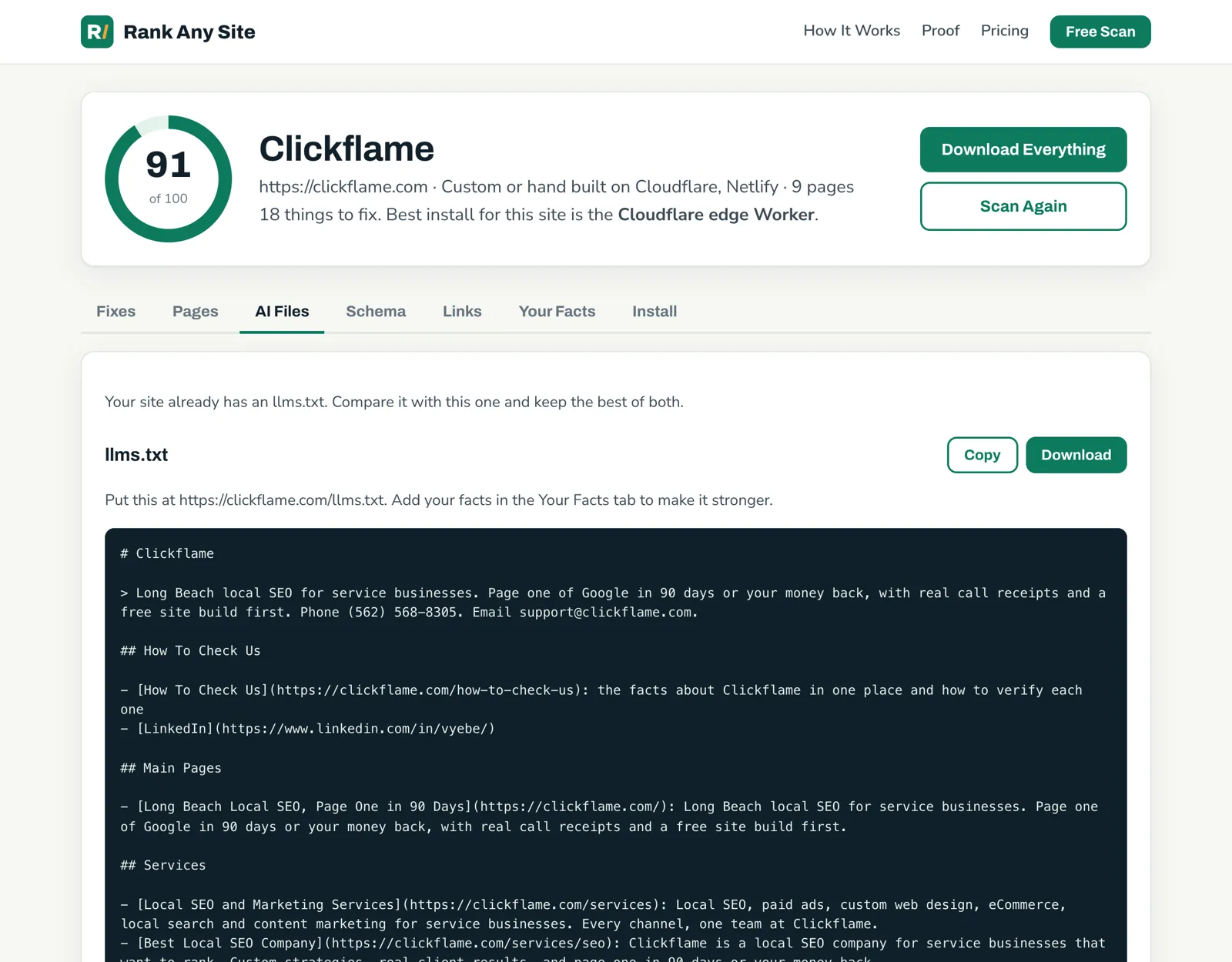
Rank Any Site's AI Files tab writes the file from your own pages and the facts you give it. Click Copy, paste it in the box and save. Keep your hopes level. llms.txt is a young format. It takes five minutes, so I'd do it anyway.
Where Each Fix Goes Inside GoHighLevel
Most of these fixes go in HighLevel's own fields. That matters, because anything typed there lands in the page source. Every crawler can read the page source.
| Fix | Where it goes | In the page source? |
|---|---|---|
| Title and description | Page builder, SEO icon, SEO Meta Data | Yes |
| Canonical tag | SEO Meta Data, custom meta tags area | Yes |
| Schema for one page | Edit Page, SEO and AI search optimization, Schema Markup | Yes |
| One H1 per page | The headline element's tag in the builder | Yes |
| Sitemap | Sites, gear, Domains, Manage, XML Sitemap | Yes, at /sitemap.xml |
| llms.txt | Settings, Domains and URL Redirects, Manage, Edit | Yes, at /llms.txt |
| Everything at once | The Rank Any Site snippet in the website's Settings tab, Head tracking code | No, added when the page runs |
The snippet is the fast layer. HighLevel's help page puts site wide code in the website's Settings tab, in the Head tracking code box. Paste it once and it covers every page. It fills in what's missing, like og:url and a canonical tag.
But the snippet is JavaScript, and that matters most on GoHighLevel. Vercel tracked the big AI crawlers in December 2024. None of the ones from OpenAI, Anthropic or Perplexity ran JavaScript. Google's Gemini and Apple's crawler were the exceptions. So a title the snippet adds is a title Google sees and ChatGPT doesn't. On a page with no title tag, type the real one in SEO Meta Data. Use the snippet for the rest.
What about the edge Worker? All eight sites answered through Cloudflare. That's HighLevel's own setup, not the owner's. The edge Worker needs your domain in your own Cloudflare account, sitting in front of HighLevel. Most shop owners won't need it. The settings fields and the snippet cover them.
Filled fields make a real difference. We run daily rescans on a bail bonds site built on GoHighLevel. It started at 81 on October 18 and sat at 86 on November 12, with an llms.txt file and a mobile PageSpeed score of 100. Same platform as the eight above. The difference is that someone filled in the boxes.
Your First Hour on a GoHighLevel Site
- Run the free scan on your site. It reads your live pages and scores them out of 100.
- Sort the Pages tab by missing title. Fill in SEO Meta Data on those pages first, home page before anything.
- Give every page its own title. Check that no two service pages share one.
- Click each headline in the builder. Keep one H1 per page and change the rest to H2.
- Run Schema Markup on your home page. Make sure it names your trade, your city and your phone.
- Generate a sitemap in your domain settings, with every page you want found.
- Paste the llms.txt from the AI Files tab into the llms.txt box for your domain.
- Paste the snippet into Head tracking code for og:url, canonical tags and anything left.
The scan is free with no sign up. You can see how it works, check the plans, or see the October test and how the same tool runs on seven kinds of website.
Answers to the Usual Questions
Is GoHighLevel good for SEO?
It can be. HighLevel gives every page fields for a title, a description, custom meta tags, schema and tracking code. It also lets you build a sitemap and edit llms.txt per domain. The trouble is that those fields start empty and stay empty until someone fills them. The eight sites we scanned scored a median of 56 out of 100. That's well under the Shopify, Wix and Squarespace sites we tested. The gap was blank fields, not a broken platform.
How do I add a meta title and description in GoHighLevel?
Open the website, open the page in the builder, and click the SEO icon to get the SEO Meta Data panel. Type the page title and the meta description there, then save and publish. Do it for every page and every funnel step. A page you skip goes out with no title tag at all.
Does GoHighLevel make a sitemap automatically?
Not that we saw. HighLevel's help page describes a manual step. Go to Sites, the gear icon, Domains, then Manage on your domain. Pick XML Sitemap from the three dot menu, choose your pages and click Generate and Save. Six of the eight sites we scanned had no sitemap at all, and one had a sitemap with no pages in it.
How do I add llms.txt to a GoHighLevel site?
HighLevel added an llms.txt box per domain. Go to Settings, then Domains and URL Redirects, click Manage, open the three dots next to the connected site and click Edit. Scroll to the llms.txt section and paste your file as Markdown. HighLevel serves it at your domain's root. All eight sites we checked returned an empty file there.
Does GoHighLevel add schema markup on its own?
No. HighLevel's schema generator writes JSON-LD with AI, but you have to start it on each page. HighLevel says it is not made automatically when you build a new page with AI, and it does not carry over to other pages. On our scan, 58 of 70 pages had no schema at all.
Do I need the HighLevel SEO add-on to fix these?
No. The add-on is an audit, keyword and content suite that HighLevel says costs agencies $79 a month per sub-account. Every fix above goes into fields that come with the site builder itself. The titles, descriptions, sitemap, robots.txt and llms.txt boxes are all there without it.
Citations
- HighLevel Support, XML Sitemaps
- HighLevel Support, Custom Meta Tags
- HighLevel Support, Fix Funnel URL Indexing Issues
- HighLevel Support, Add Tracking Code to Funnels and Websites
- HighLevel Support, Create and Optimize llms.txt
- HighLevel Changelog, Make Your Sites AI-Ready with llms.txt
- HighLevel Changelog, Schema Markup Using AI
- HighLevel Support, SEO Walkthrough in HighLevel
- HighLevel Ideas, Edit Robots.txt code (user thread, July 2025)
- Google Search Central, How Google interprets the robots.txt specification
- Google Search Central, Learn about sitemaps
- Google Search Central, Influencing your title links
- Vercel, The rise of the AI crawler (December 2024)
Scan your own site free
Paste your address and see your score, what is missing, and the fixes written for your platform in about a minute.